SPEEDOMETER (PLUS VARIANT)
This vehicle is having 4.3 inch Thin Film Transistor (TFT) speedometer which ensures brighter display and allows ease of interaction between vehicle and user.
Start-up screen and Indicators.
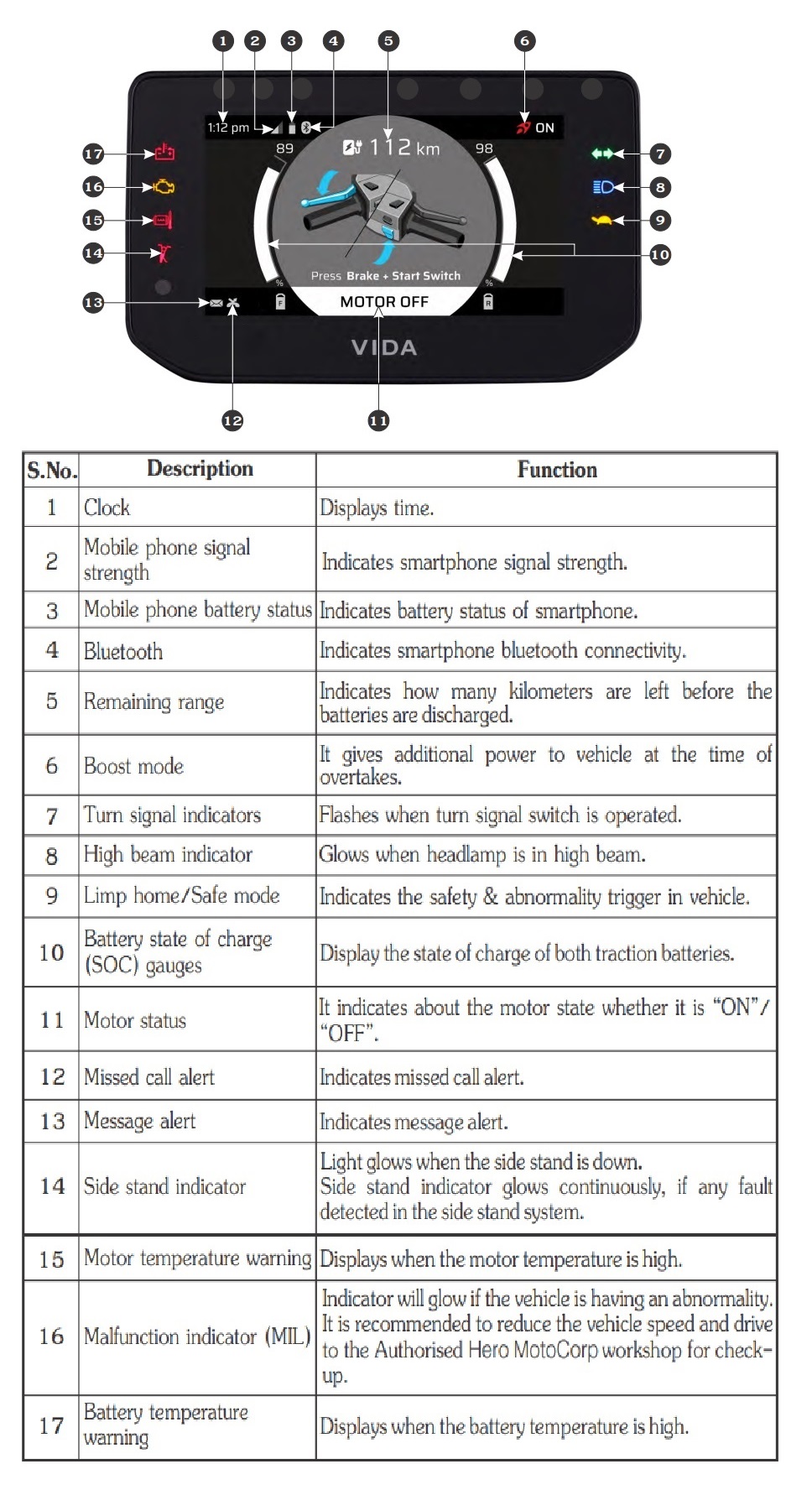
Display Features
* Start-up screen & Table
VX2:-
Standard screens
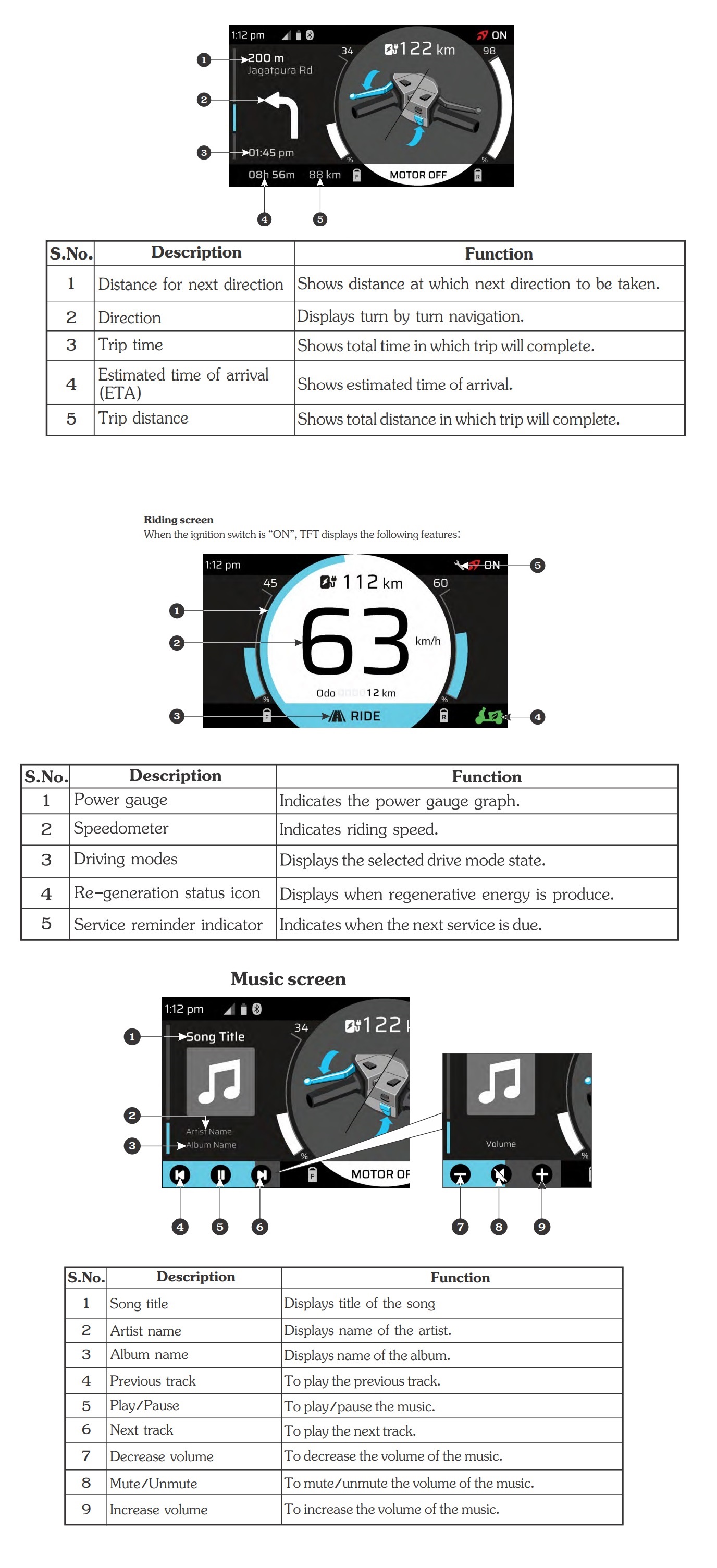
There are five screens in TFT display which can be accessed by pressing the set button then moving the home screen navigator control switch up or down to scroll the screen.
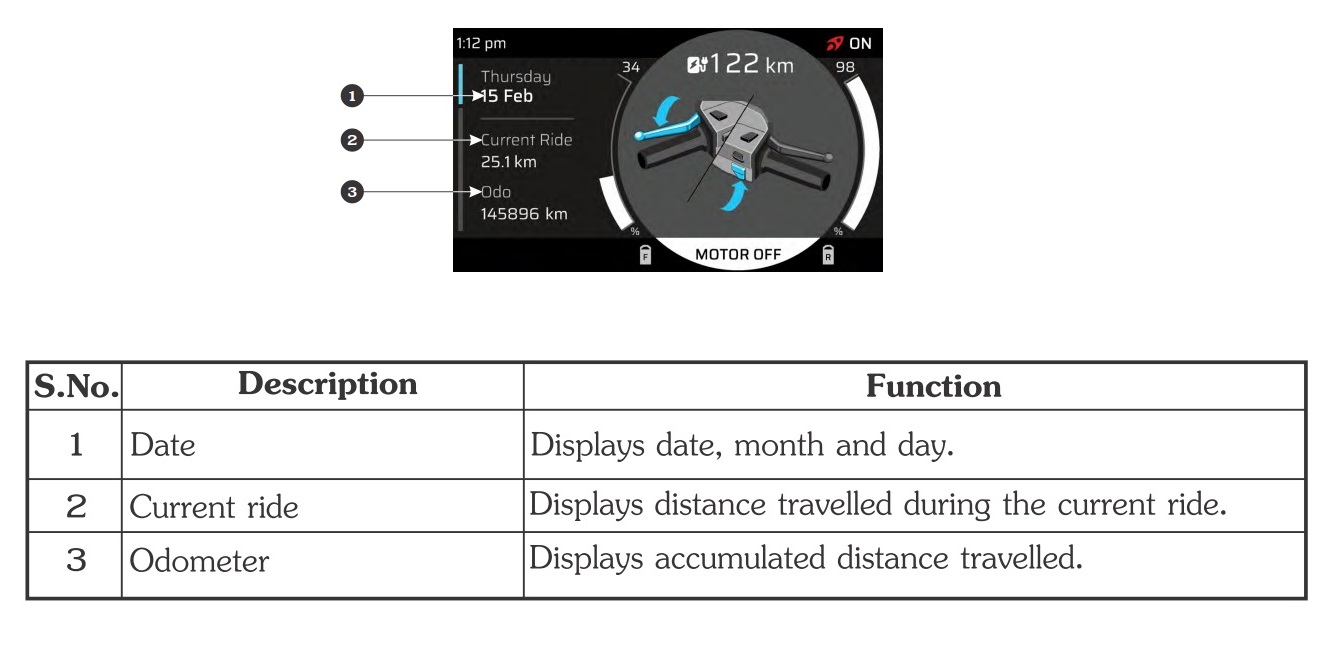
* Standard Screens & Table
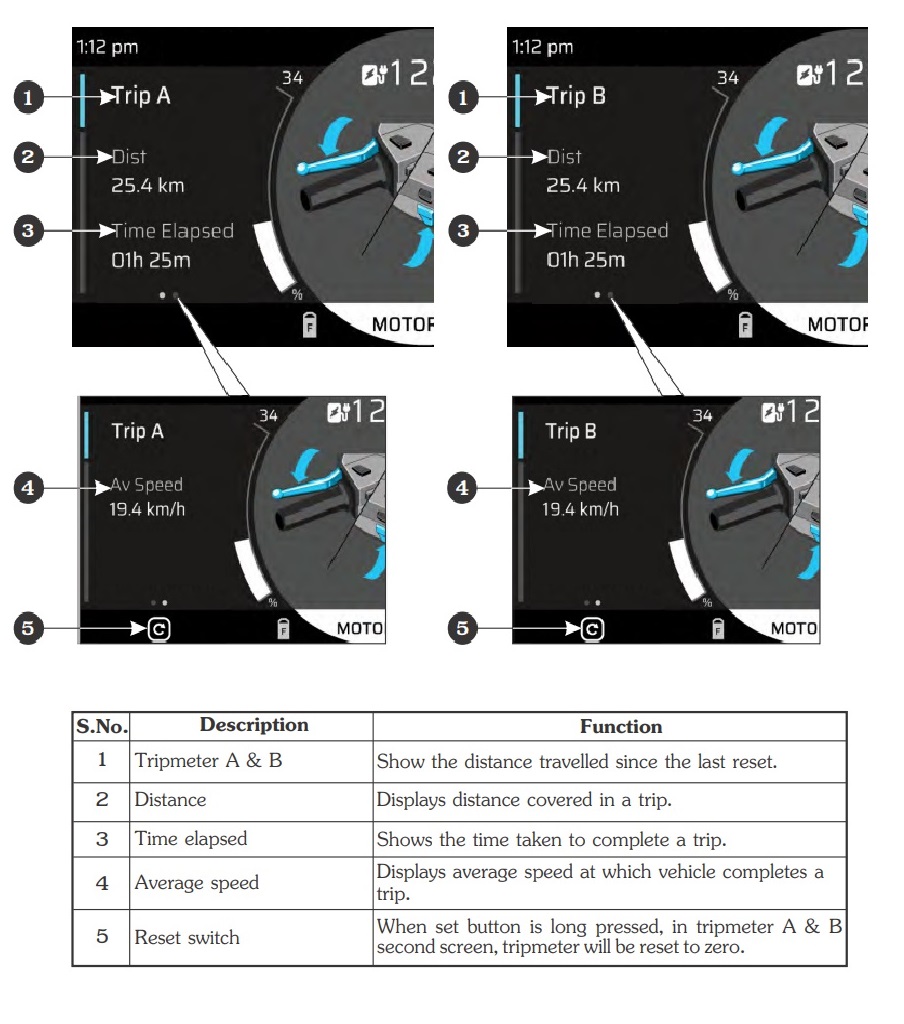
* Navigation screen & Table
* Riding screen
When the power is “ON”, TFT displays these tabulated features:
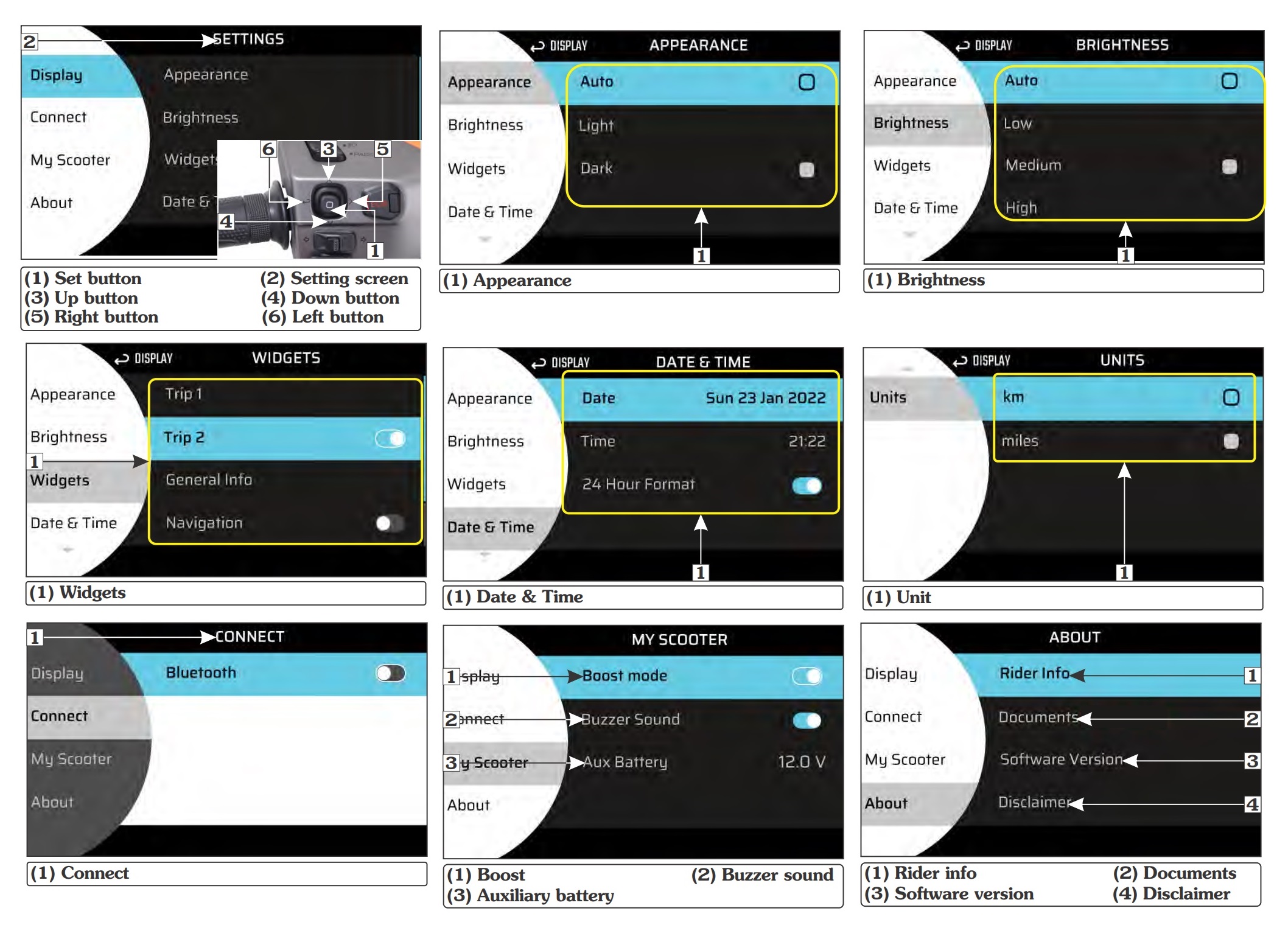
Press and hold the set button (1) on the handlebar to open the setting screen (2).
There are different settings which can be configured by the user according to the preference, User can navigate through the settings by using up button (3), down button (4), right button (5) or left button (6). To select the setting press set button (1) and to come out from the setting press left button (6) on the handlebar.
Widgets- This feature allows the user to customize the TFT screen.
· Trip 1
· Trip 2
· General info
· Navigation
· Music
Appearance-User can choose the TFT display theme from Auto, light and dark.
Brightness- User can set the brightness level of TFT display from auto, low, medium and high.
Date & Time- User can set the date & time by pressing up/down and set button on the handlebar. User can change time format as well.
Unit- User can change the unit between kilometers (km) or miles (mi).
Connect - User can connect meter console with bluetooth.
Boost- User can turn “ON” or “OFF” the boost mode.
Buzzer sound-User can turn the buzzer sound to “ON” or “OFF”.
Auxiliary battery- User can view the vehicle’s auxiliary battery voltage.
About:-
Rider info- User can view the rider information which is stored through the App.
Documents- User can view uploaded documents which is stored through the App.
Software version-User can view TFT updated software version.
Disclaimer- User can view the disclaimer about TFT.