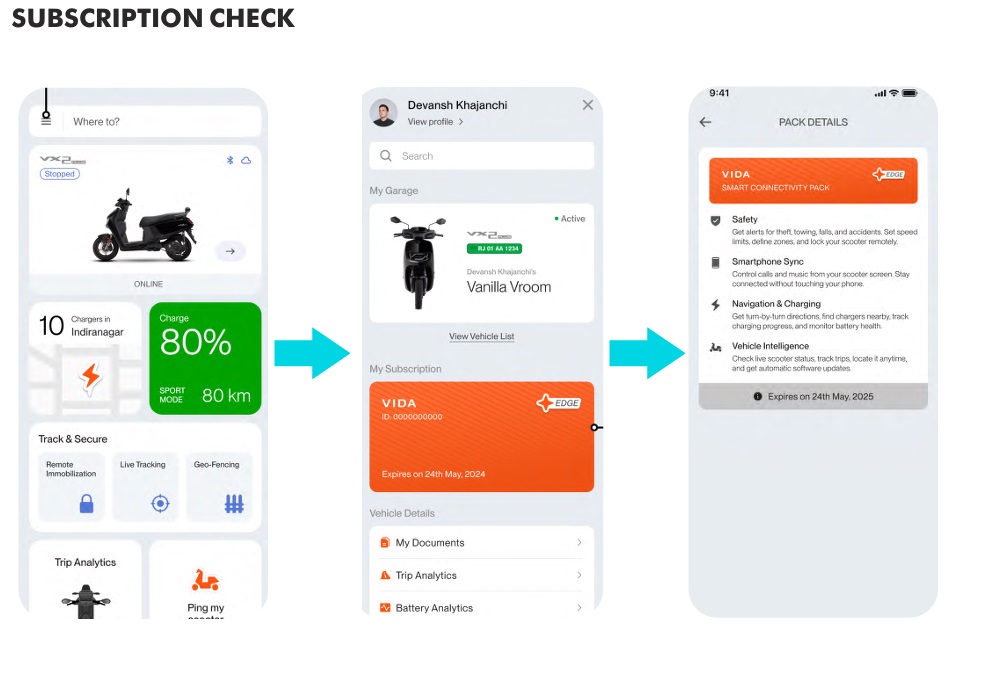
MY VIDA Customer Application is available in the google play store (for androids) or App Store (for iOS), which can be installed in your device to monitor and transmit various vehicle data such as battery, motor and other electrical systems. The vehicle data allows for various remote functions and services.
1. CApp is available for Android and iOS users.
iOS:- https://apps.apple.com/in/app/my-vida/id1619977916
Android :- https://play.google.com/store/apps/details?id=com.hero.vida
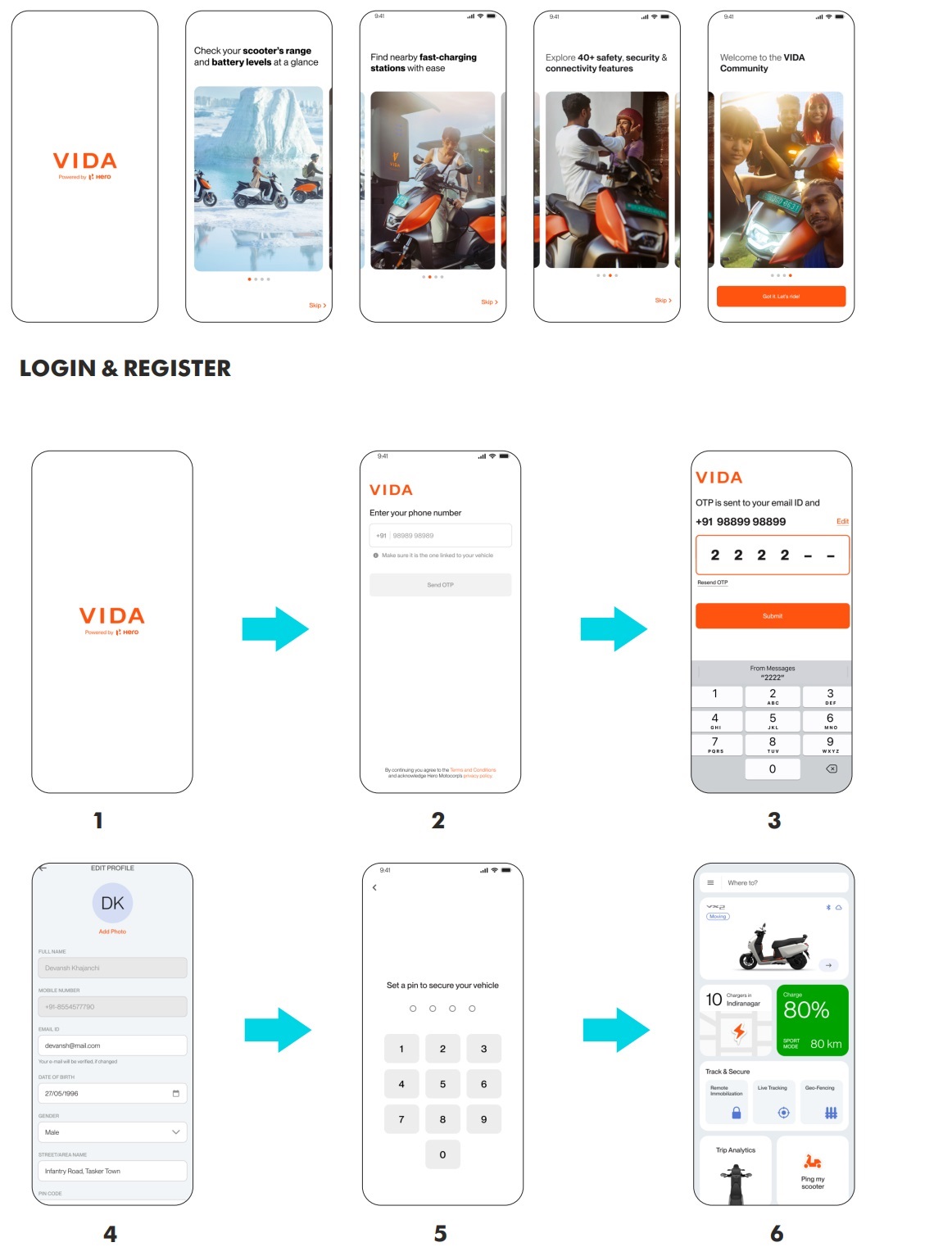
CApp | Login
User Guide
First time Login
Checklist:
- Make sure all the mandatory information are filled
- Name, Mobile, Email and DoB are fetched from DMS, must be completed during the sales process
Checklist:
- Make sure vehicle is ON state for 5 mins once the App is installed
- In case, if there is missing info about SoC and Range, Run the vehicle for 5 mins.
CApp | BLE
User Guide
Connecting Bluetooth (Low Energy)
Checklist:
- Make sure phone’s BT is ON state
- Vehicle shouldn’t be connected via App settings; If connected from phone’s setting forget from there
- Make sure vehicle is ON state till pairing is completed;
Connecting Bluetooth (Low Energy)
DOs
- Bluetooth should auto-connect. It might take a few minutes the first time for it to connect (first time login and connection).
- Connect to Bluetooth (BLE) for the first time from the CApp only.
- Ensure the steps are followed step by step.
DON’Ts
- Do not connect to Bluetooth from the mobile device settings.
- If the Bluetooth was connected via the mobile device settings:
- Forget the BT address connected in the mobile device settings
- Restart the CApp and follow the ‘Connect Bluetooth (Low Energy)’ steps