Electric Scooter Battery Not Charging? Common Causes and Fixes
Published by VIDA
Read Time: 1 min 30 sec
Date: 06 November 26
| Summary |
| If your electric scooter battery won't charge, the fix is often simple. This guide covers common causes, safe troubleshooting steps, and when to seek professional help. |
You plug in your scooter after a long day, but the charger LED stays dark. It can be frustrating when you need your scooter ready for the next commute.
Most charging issues have simple, fixable causes. Before booking a service visit, run through a few basic checks. This guide covers safe, step-by-step ways to troubleshoot electric scooter battery charging problems.
Safety note: BIS-compliant EV batteries use Battery Management System (BMS) protection that can pause charging when it detects an issue. This is a safety feature, not necessarily a fault.
Quick checklist first
Start here. Grab your charger and work through this list before anything else:
- Socket power:Is the wall socket actually on? Flip the switchboard toggle and test with another appliance (a phone charger or table lamp works well).
- Charger LED: Plug the charger into the wall first, then into the scooter. A steady LED confirms the charger is receiving power. No light at all? The charger may be faulty.
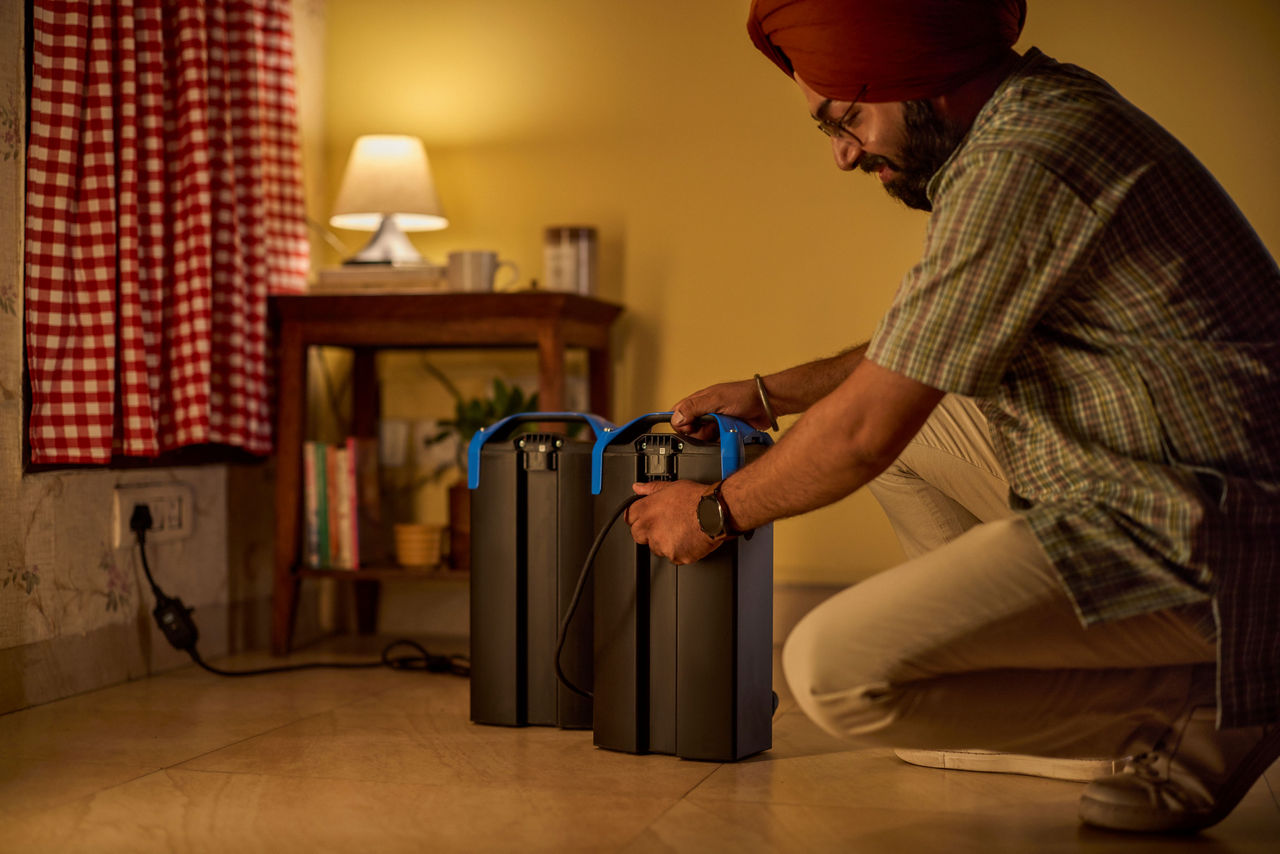
- Battery seating: If your scooter uses removable batteries, pull the battery out and re-insert it firmly until you hear or feel a click. A battery that is even slightly misaligned will not charge.
- Connections: Look at the charging port on the scooter (and the battery, if removable). Dust, lint, or moisture on the contacts can block the circuit.
- Display or app alerts: Check your scooter's display or companion app for error codes or warning icons. A BMS-triggered alert often tells you exactly what went wrong.
If everything checks out and charging still fails, move to the next section.
Common causes and how to fix them
Most electric scooter charging issues fall into six areas. Check each one before assuming a major fault.
Charger and socket checks
- Wrong or damaged charger: Use the charger supplied with your scooter. An incompatible charger can prevent the BMS from completing charging.
- Faulty wall socket: Try another socket in a different room. If the charger LED works there, have the original socket checked.
For VIDA scooters, you can charge the battery in or out of the scooter using a standard 5A home socket, without an adaptor.
Battery and connection checks
- Dirty or wet contacts: Dust or moisture can interrupt the connection. Gently wipe the contacts with a dry cloth and keep them clean and dry.
- Battery too hot or cold: Extreme temperatures can interrupt charging as the BMS protects the battery. Move your scooter to a shaded, well-ventilated area and allow the battery to return to a suitable temperature before trying again. If charging does not resume, contact a VIDA service centre.
- Deeply discharged battery: A deeply drained battery may take longer to respond. Connect the charger for 15–20 minutes. If charging does not resume, contact a service centre.
- Error code or warning: A persistent warning usually indicates a BMS-detected fault. Note the code, check your user manual and contact your service centre.
| Mistakes to Avoid |
| When your electric scooter battery won't charge, resist the urge to force a fix. Never open the battery casing yourself; Li-ion cells require professional handling. Avoid using a borrowed or third-party charger, as mismatched voltage or current ratings can trigger a BMS shutdown or, worse, permanently damage cells. Do not repeatedly plug and unplug the charger in quick succession. If charging fails after two calm attempts with a 30-minute gap, stop and contact your service centre. Patience protects both your battery and your warranty. |
When to stop and contact VIDA service
Some problems need a technician. Stop troubleshooting and seek professional help if you notice any of these:
- The battery shows visible swelling, cracks, or physical damageg
- You smell a chemical or burning odour near the battery or charger
- The same error code appears repeatedly after restarting the scooter
- The charger or battery feels unusually hot to the touch during charging
- Charging fails consistently across multiple sockets with the correct charger
VIDA, powered by Hero MotoCorp, offers 770+ service outlets across India for professional diagnosis. If you are stranded, VIDA roadside assistance can help on the spot.
Your VIDA battery is covered by a standard 3-year / 30,000 km warranty. For extended peace of mind, the optional Extended Battery Warranty plan extends coverage up to 5 years / 60,000 km, including degradation below 70% state of health. All VIDA EVooters also receive OTA updates that can resolve software-related charging anomalies without a service visit.
How to prevent charging problems
Prevention saves time and money. A few habits go a long way:
- Use the supplied charger, always. VIDA models ship with chargers rated specifically for their battery (1 kW Zap for the VX2 Plus 4.4 kWh; 580 W for other VX2 variants). Mismatched chargers are a common scooter not charging fix that never works.
- Keep contacts clean. Wipe the battery terminals every few weeks to prevent buildup. VIDA batteries carry IP67 protection, but physical debris on exposed contacts can still disrupt the connection.
- Avoid full discharge:Plug in before the battery hits zero. The BMS provides over-discharge protection, but habitual deep discharge stresses cells beyond what software alone can prevent long-term.
Conclusion
Most electric scooter battery charging problems are preventable. A consistent charging routine, the right charger, and clean contacts keep your battery healthy for years. If something does go wrong, the steps in this guide should help you isolate the issue quickly. And when the fix is beyond a home check, explore VIDA scooters and their 770+ service network for reliable, warranty-backed support.
FAQs
1. Why is my electric scooter battery not charging?
Check the socket, charger, battery contacts and temperature. If charging still fails, contact a service centre.
2. How do I know if the charger or the battery is faulty?
Try the removable battery with the supplied charger and a 5A socket. If it still fails, visit a VIDA service centre.
3. Can extreme heat stop my scooter from charging?
Yes. Li-ion batteries can be charged safely between 5°C and 45°C. If the battery temperature exceeds this range, the BMS will slow or pause charging to protect the cells. Move the scooter to a shaded, ventilated spot and wait 20 to 30 minutes before trying again. This is normal protective behaviour, not a defect.
4. Is it safe to keep trying to charge a dead battery?
Try twice, with a 30-minute gap. If charging still fails, stop and contact a service centre.
5. When should I contact a VIDA service centre?
Contact a VIDA service centre for swelling, unusual heat, chemical smells, error codes or repeated charging failures.
6. Does the BMS protect my battery from all charging faults?
No. It protects against overcharging, over-discharge, overheating, and overcurrent, but it can't fix physical damage or faulty chargers.
7. Can I use any charger to charge my VIDA EVooter?
No. Use the charger supplied for your model or VIDA's network of 5,900+ fast-charging stations to charge safely.